Drowning in Telegram pings and quick asks? When you can’t act right away, important requests slip through the cracks. Send to Todoist turns them into clear Todoist tasks, so you can capture on the go and follow up later.
Connect your Todoist once, then forward any message to the bot or send it a quick note. The task lands in your Inbox or a project you choose, with the original text and who it came from. Send several forwards in a row and they become one task. Built-in AI writes a clear title, picks the right project, and fills in the date, time, and duration from messages, photos, PDFs, or voice notes.
Features
-
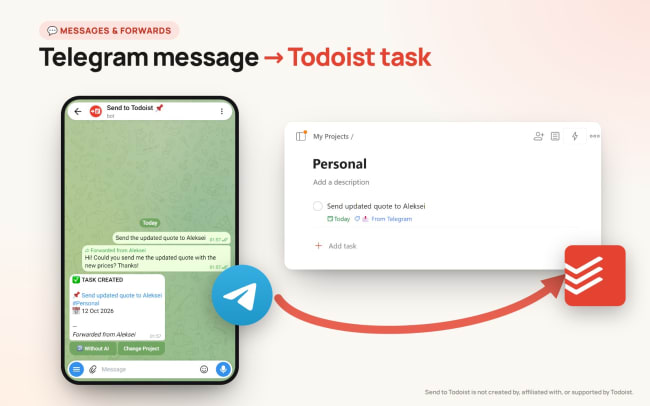
Forward instead of copy-paste. Forward a client’s “can you send the updated quote?” and get a Todoist task with the text and the sender, ready to schedule.
-
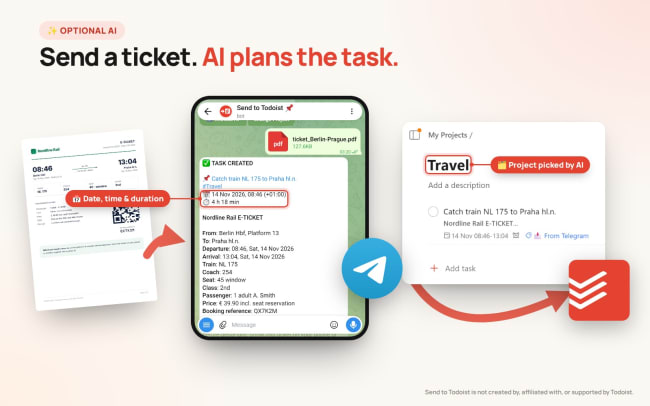
Tickets become plans (AI). Send a PDF flight ticket or a booking confirmation. The AI sets the date, time and duration, files the task in the right project and keeps the booking details and link.
-
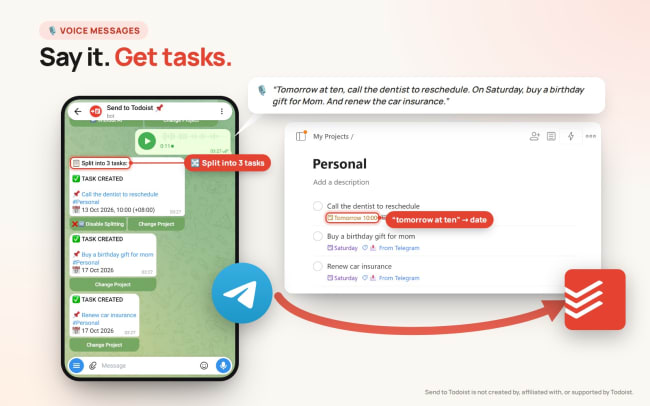
Speak your tasks (AI). Record a voice note on the go. The bot transcribes it and creates the task, and it understands dates like “tomorrow at ten”.
-
One message, several tasks (AI). Mention a few to-dos in one message or voice note and they arrive as separate tasks. One tap turns splitting off.
-
AI is optional. Prefer your words exactly as they are? Turn the AI features off in /settings and the bot copies your message into the task as is.