
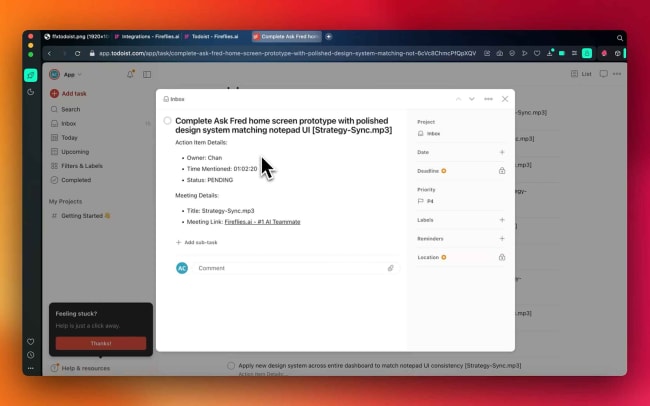
Ever finish a meeting only to realize you forgot half the action items? Fireflies automatically captures those tasks from your meetings and sends them straight to your Todoist projects, so you don’t have to scramble through notes later.
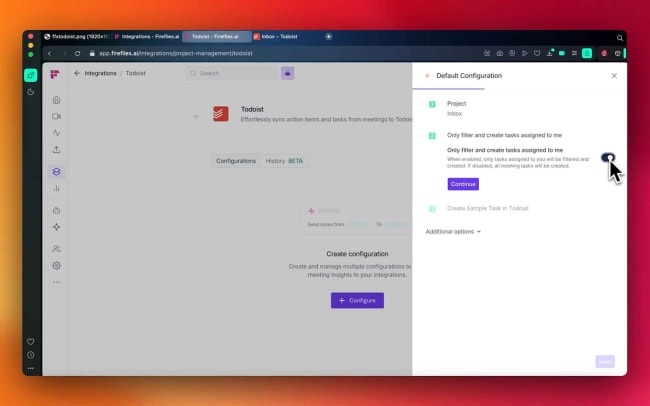
You can choose to sync all action items from your meetings or just the ones assigned to you – whatever works best for your workflow. From there, you can manage these action items alongside everything else you’re working on. No app-hopping, no missed follow-ups, just your meeting tasks where they belong.
功能
-
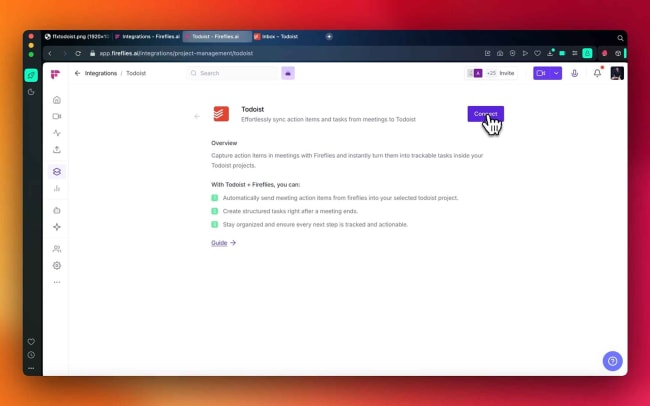
Automatically send meeting action items from Fireflies into your selected Todoist project.
-
Create structured tasks right after a meeting ends.
-
Stay organized and ensure every next step is tracked and actionable.

Can’t find the integration you’re looking for?
Integrate with 1,000s of other apps via our automation partners. Or, explore our API to build your own extensions or integrations.